PC User Registration and Login Guide
This guide shows PC users how to register with an email address and log in. Follow each annotated screenshot in order.
This guide shows PC users how to register with an email address and log in. Follow each annotated screenshot in order.
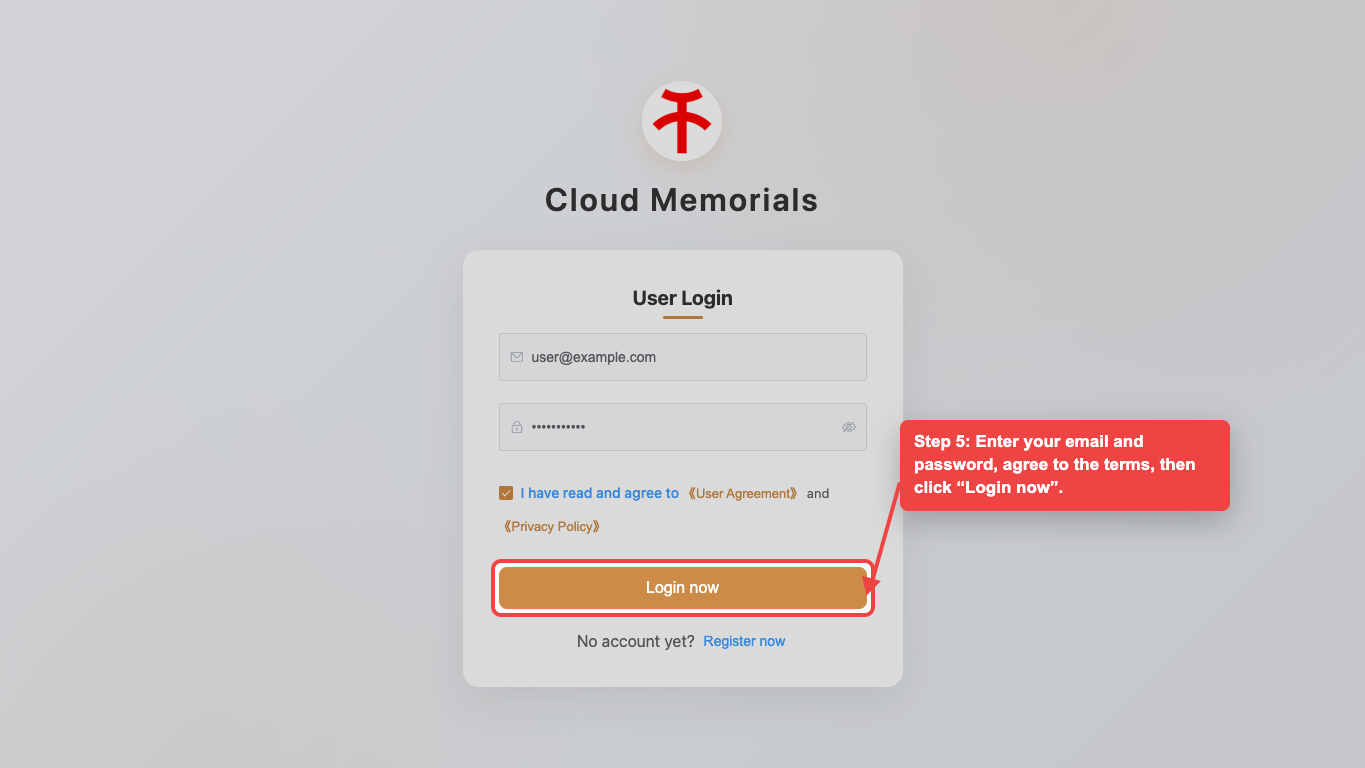
Open the registration form
On the PC login page, click “Register now” at the bottom of the login panel to open the email registration form.
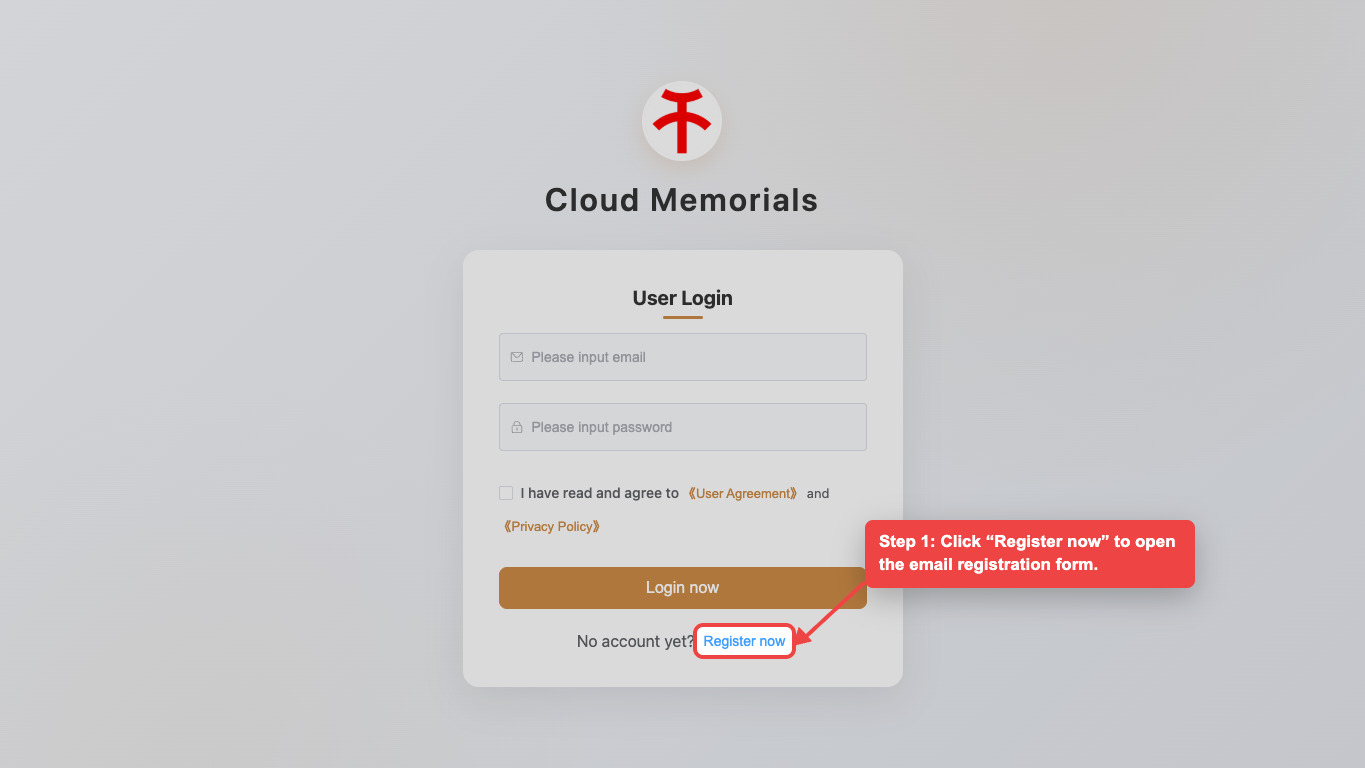
Enter your email and image code
Type your email address, then enter the image verification code. If the code is unclear, click the image to refresh it.
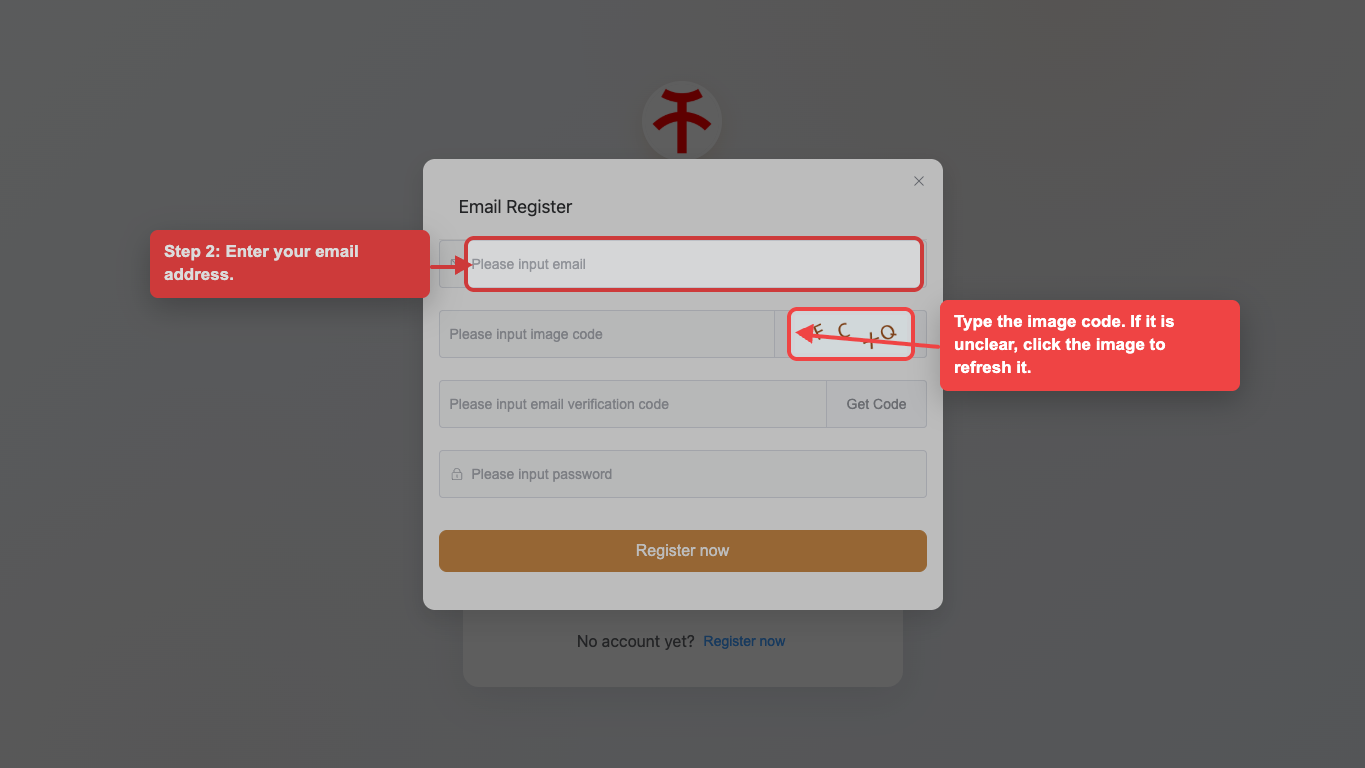
Request the email verification code
Click “Get Code”, then check your inbox for the 6-digit verification code.
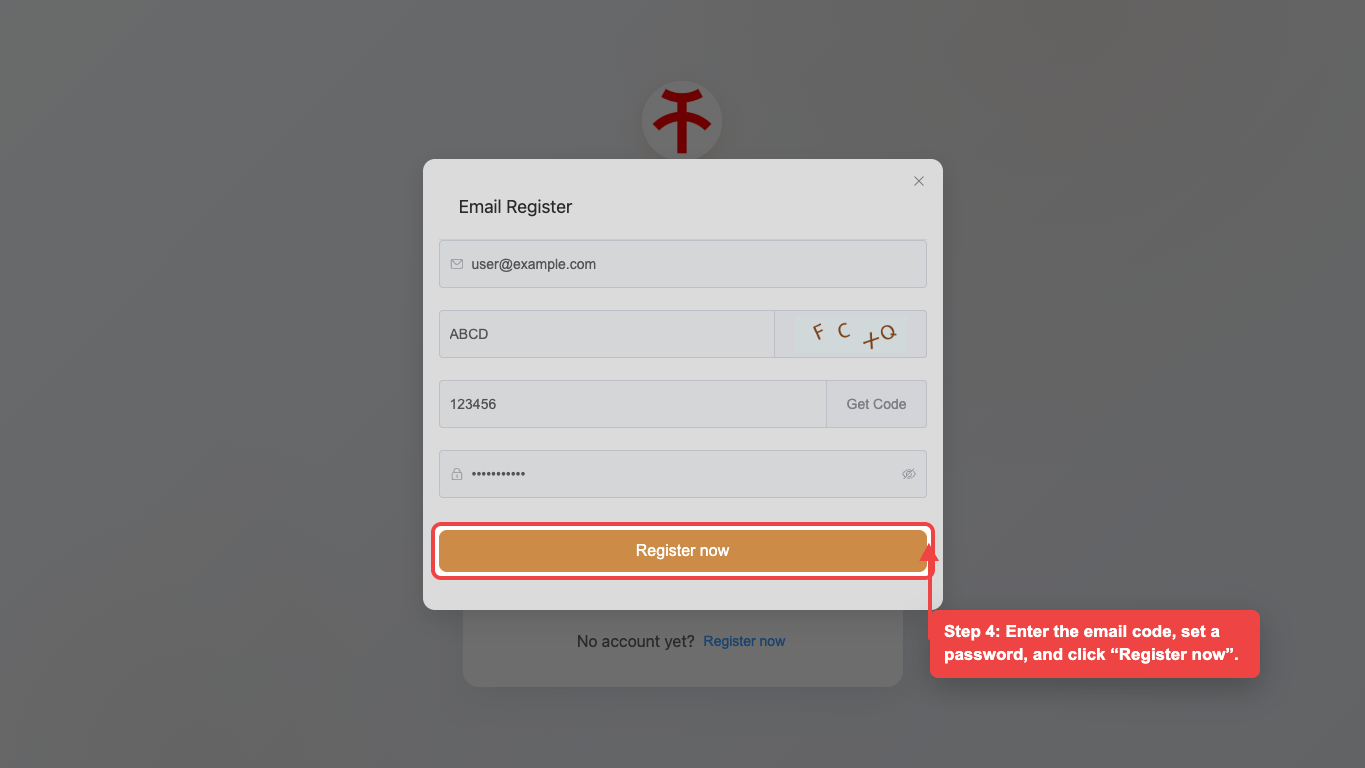
Complete registration
Enter the email verification code, set a password, and click “Register now” to create the account.
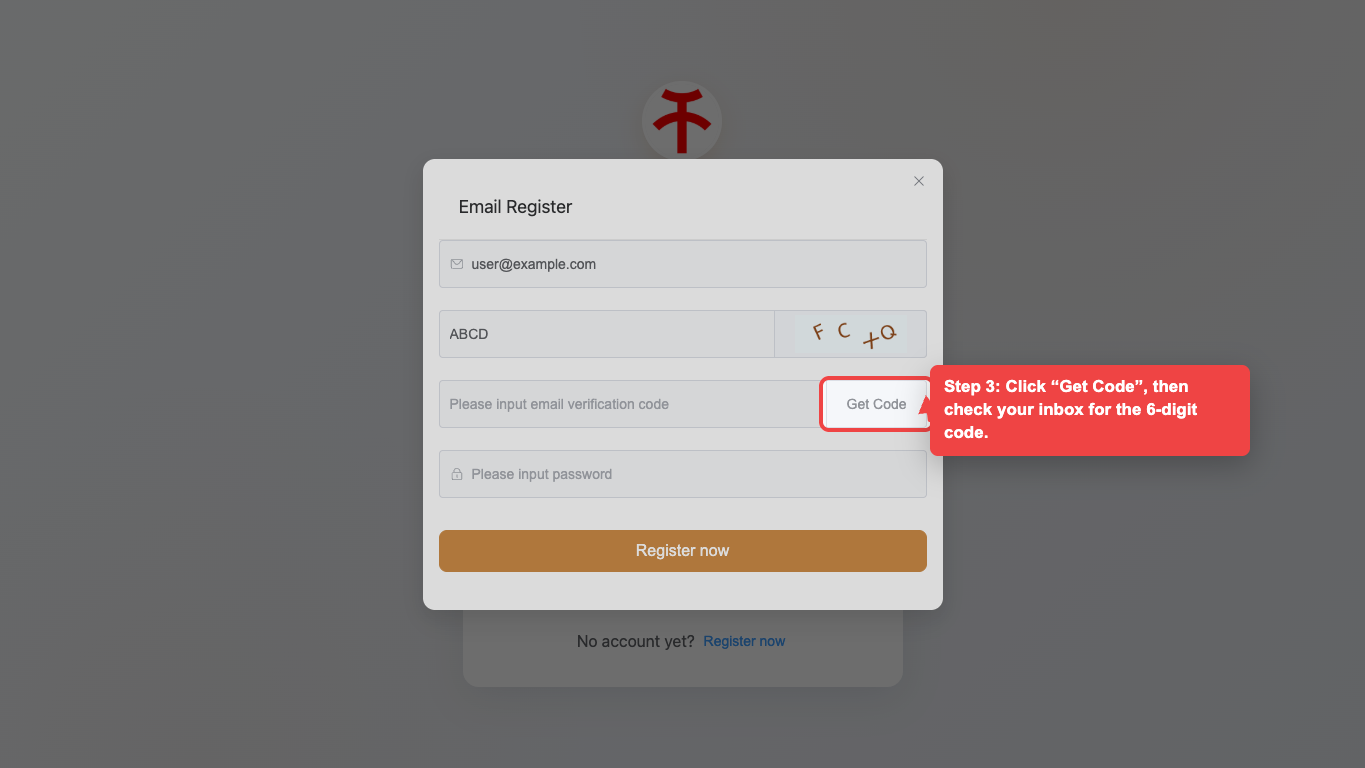
Log in to your account
Return to the login page, enter your email and password, agree to the terms, then click “Login now”.