PC Memorial Album Management Guide
Learn how to open the gallery manager, upload photos, and view memorial album photos on PC.
Learn how to open the gallery manager, upload photos, and view memorial album photos on PC.
Open Gallery Management
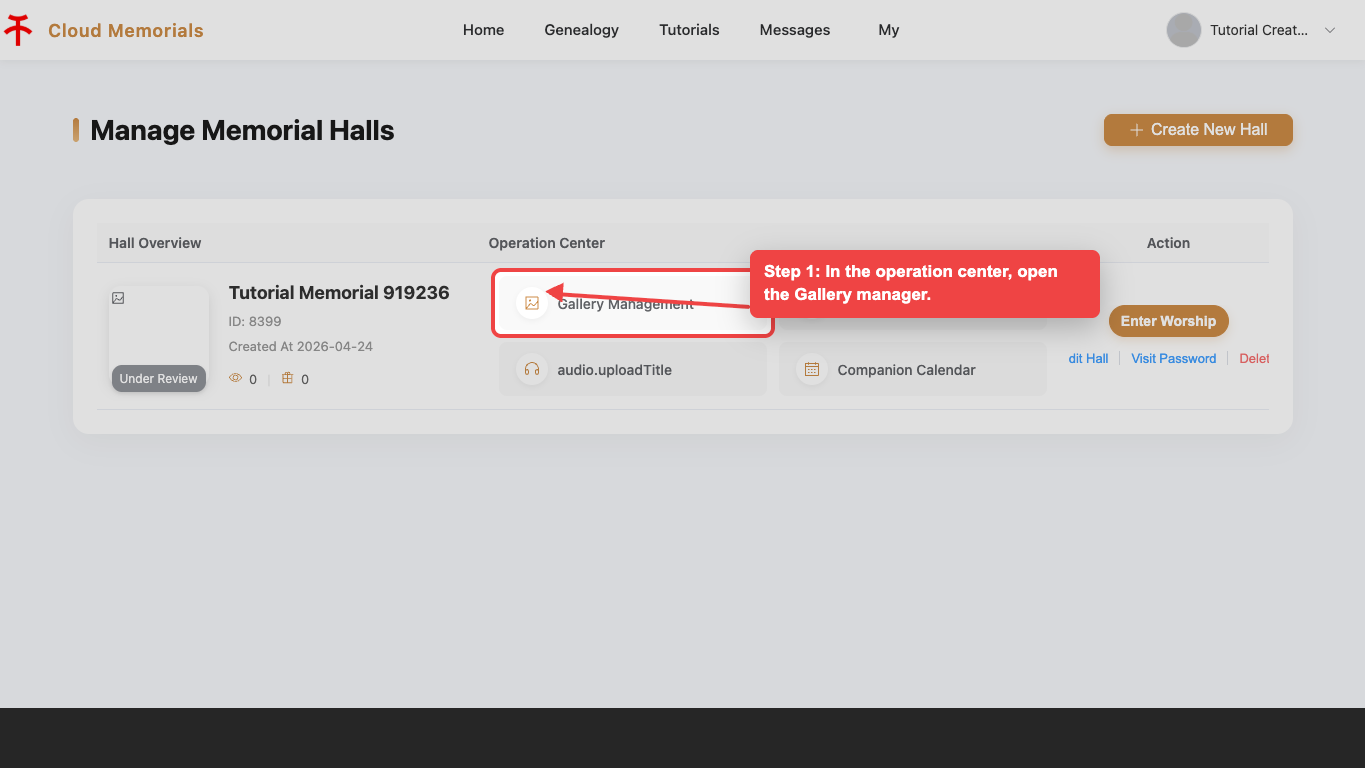
In the operation center, open the Gallery manager for the selected memorial hall.
Start photo upload
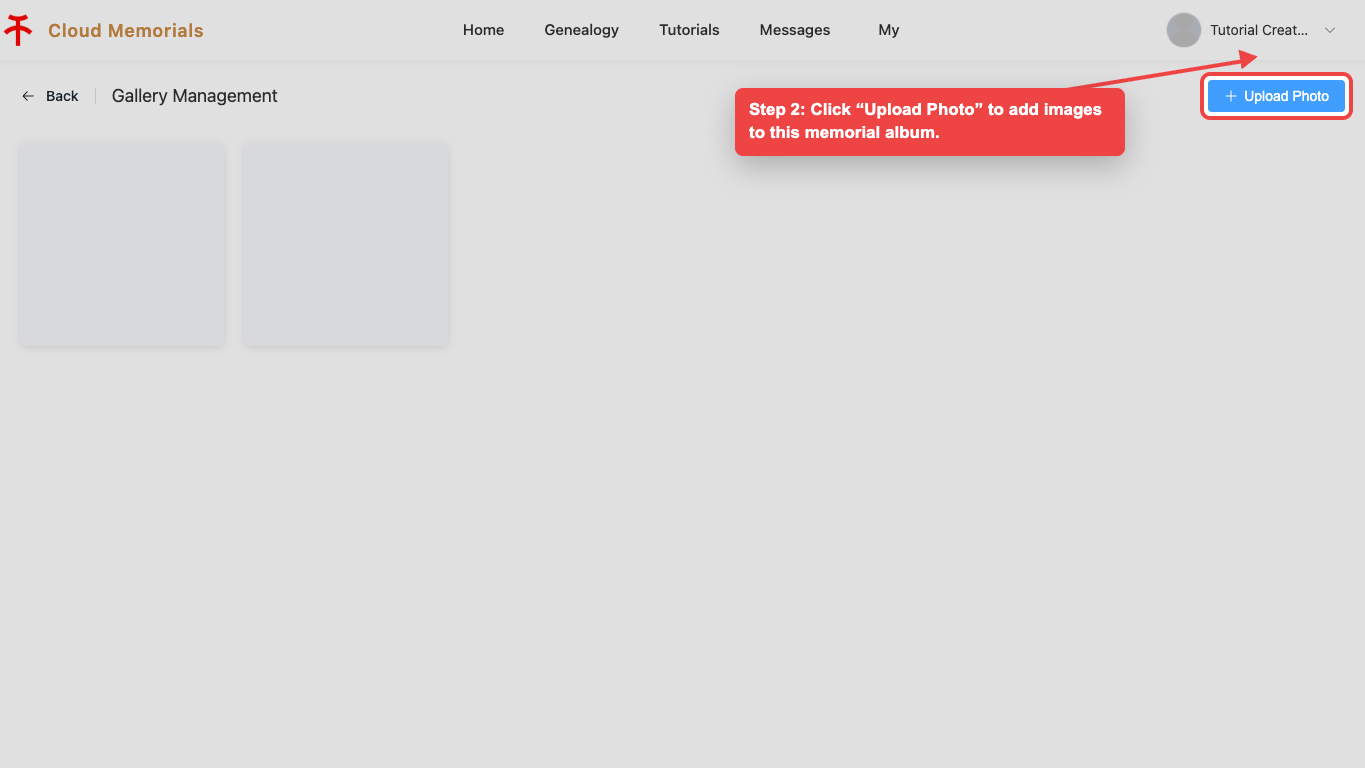
Click “Upload Photo” to add images to the memorial album.
Upload images
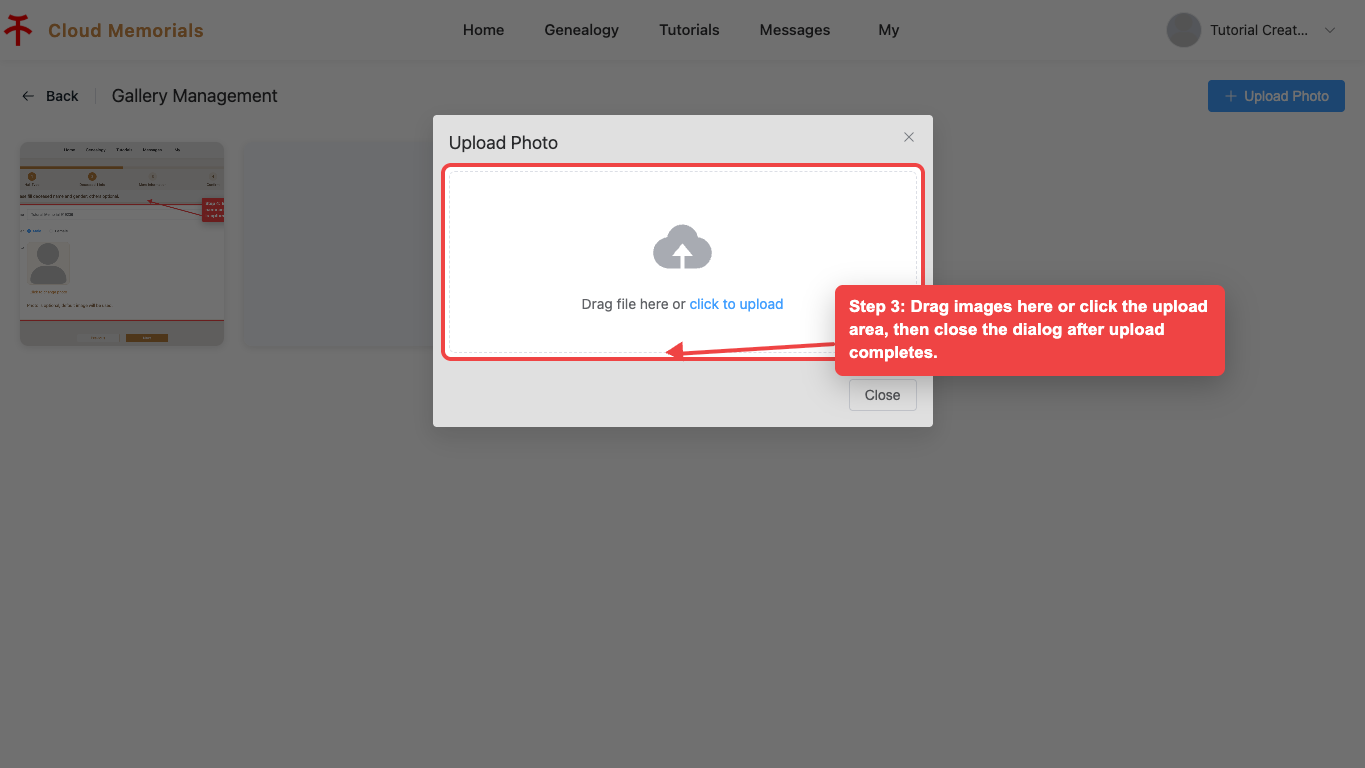
Drag images into the upload area or click it to choose files.
View the album
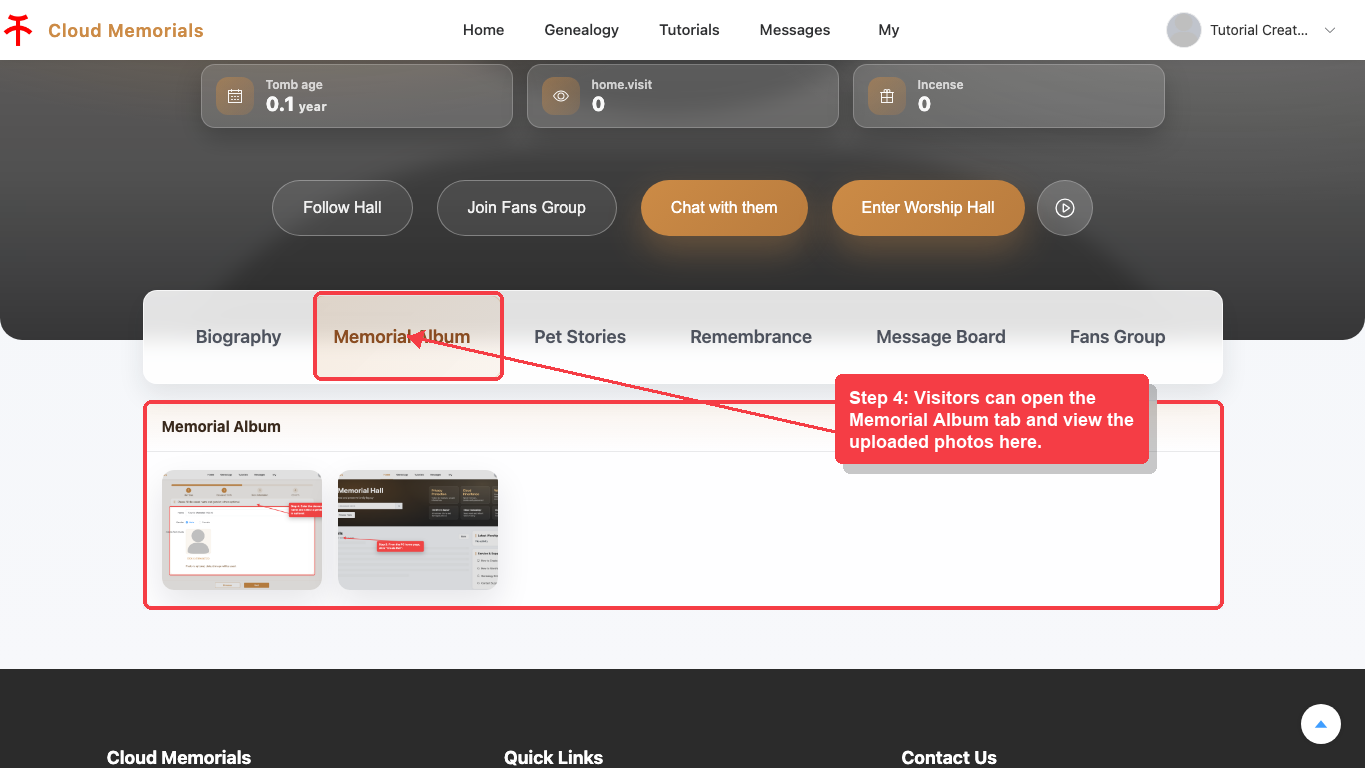
Visitors can view uploaded photos from the Memorial Album tab.