PC Memorial Privacy and Visit Password Guide
Learn how to switch a memorial hall between public/private visibility and configure a visit password.
Learn how to switch a memorial hall between public/private visibility and configure a visit password.
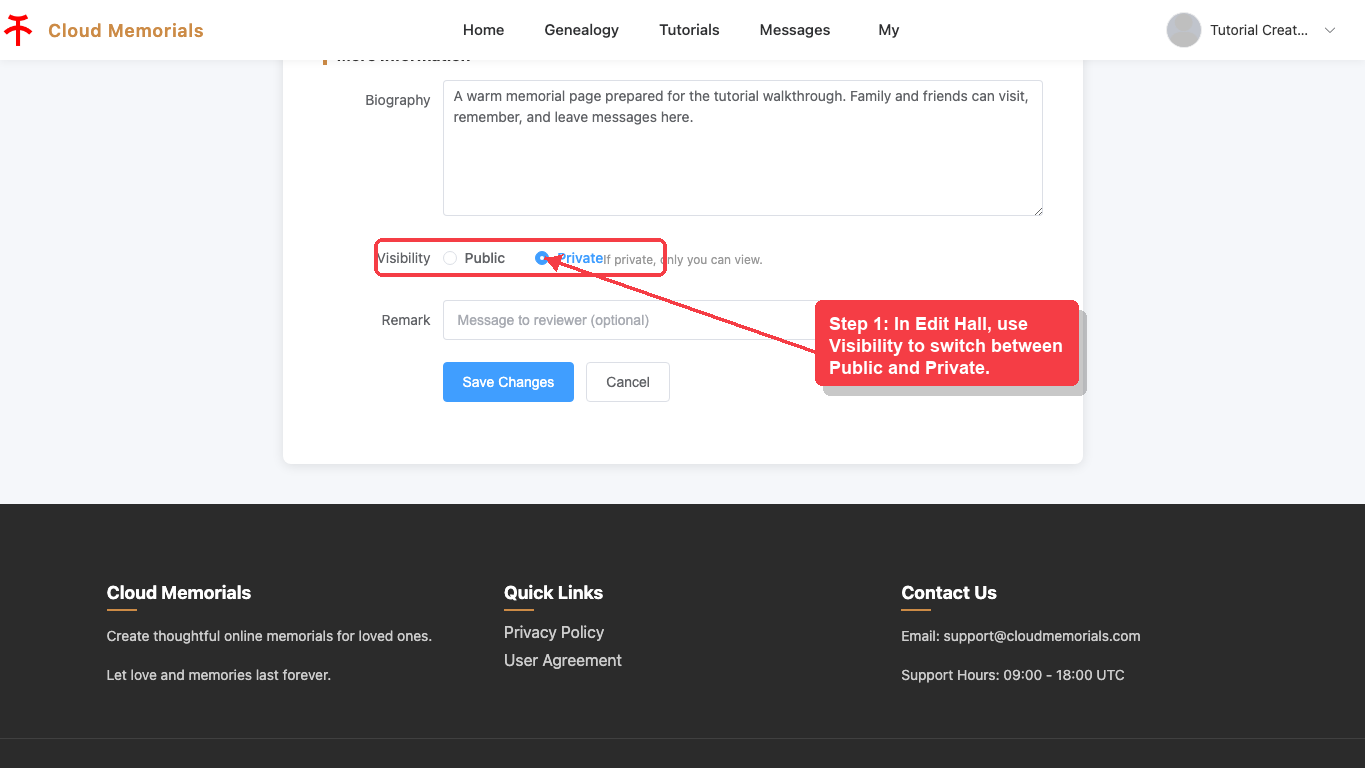
Set public or private visibility
In Edit Hall, use Visibility to switch between Public and Private.
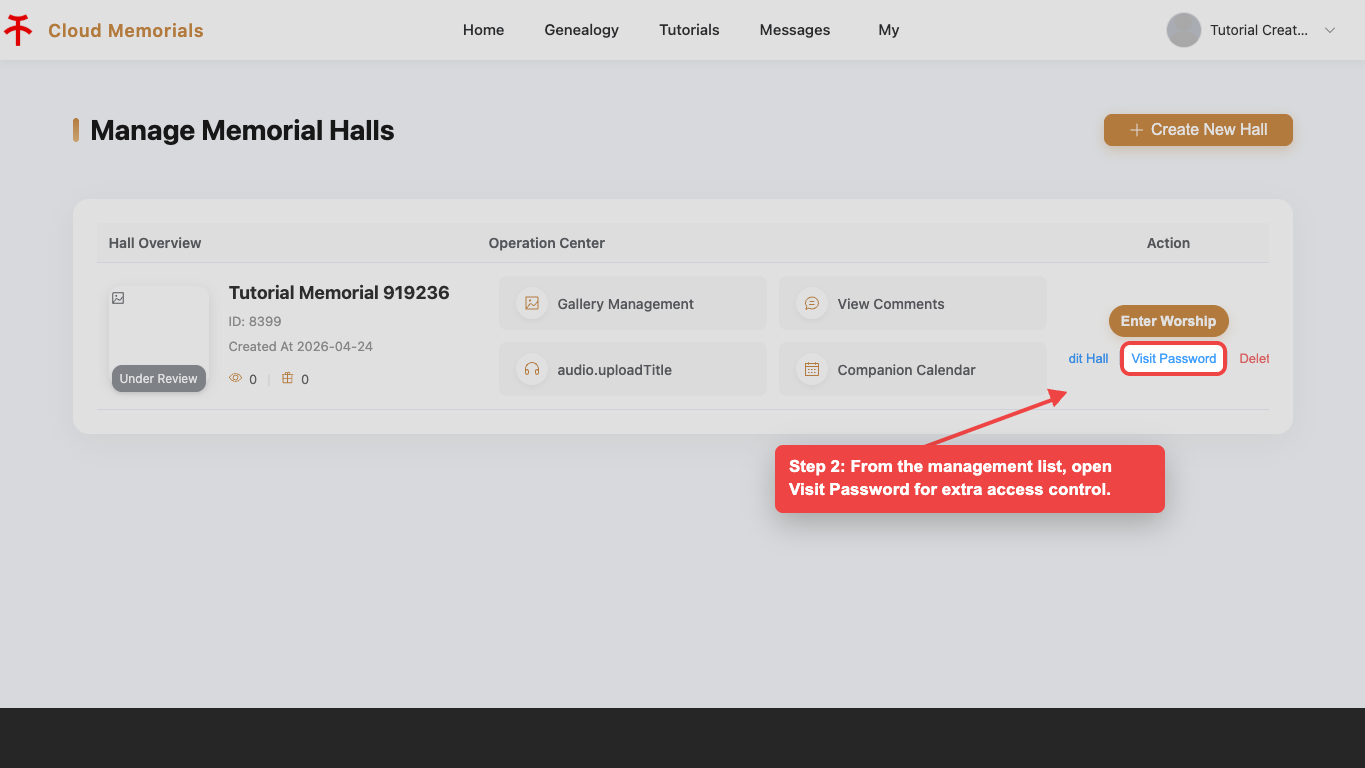
Open Visit Password
From the management list, open Visit Password for extra access control.
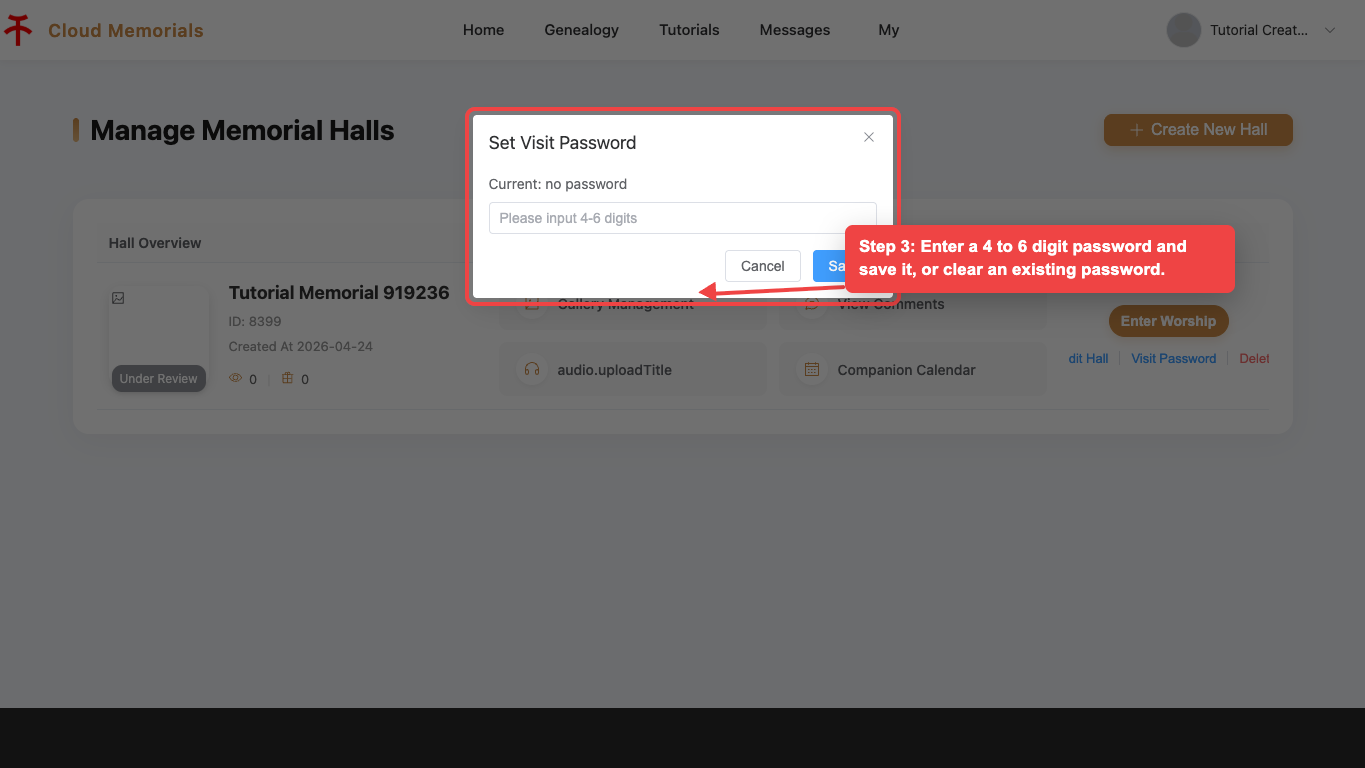
Save or clear the password
Enter a 4 to 6 digit password and save it, or clear an existing password.